2026-07-09
I damaged the microSD card port on my 3D printer. I think it happened when I accidentally inserted a card backwards.
Ironically, I was trying to print a mount for an SD card extension cable. This is a common upgrade done to protect the port; microSD card ports are really not designed to be cycled so often and I had been printing a ton. The extension cable stays in the microSD card port and takes full-size SD cards which are much more durable.
I used a flashlight to look down the port and I could see a bent pin. This means basically the port is toast. It's supposed to be possible to print to Marlin from a computer over micro USB, but without the SD card port, there's no way to flash the firmware. I was planning a Klipper upgrade and already had a bigger screen that I hadn't installed yet so I needed to get it working. Worst case scenario, a new control board is about $45 CAD, but I wanted to see if I could fix it first.
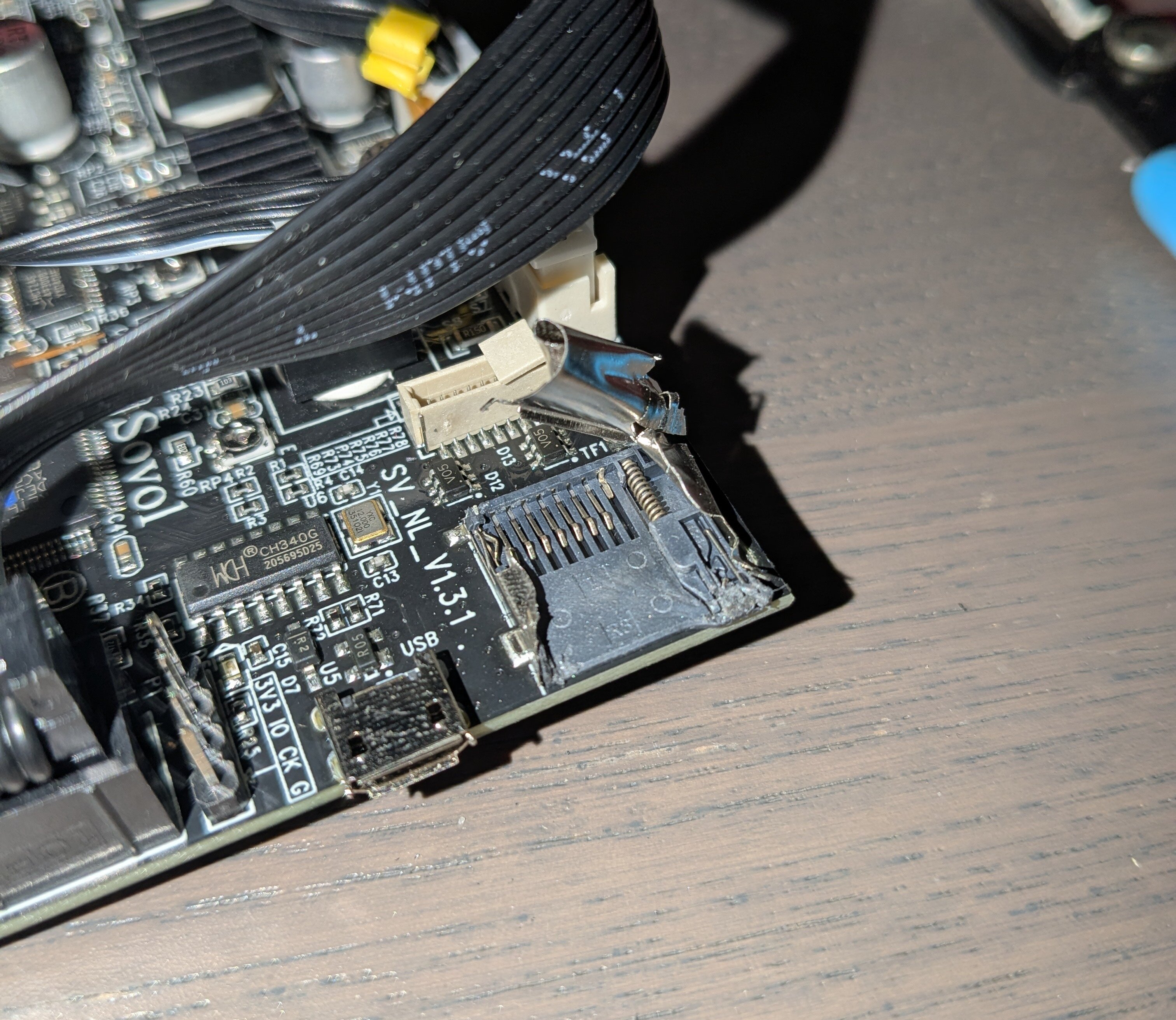
I opened up the control box and took the board and fan out. I used some cutters to peel the metal case off the SD cart port to reveal the pins.
You can see the pin on the right is bent inward. I tried to bend it back into place but it disintegrated. At least I was able to clean up the debris.
Since I already had the SD card extension cable, I decided to see if I could install it into place permanently. I soldered a jumper wire from the broken pin's pad directly to the extension cable:
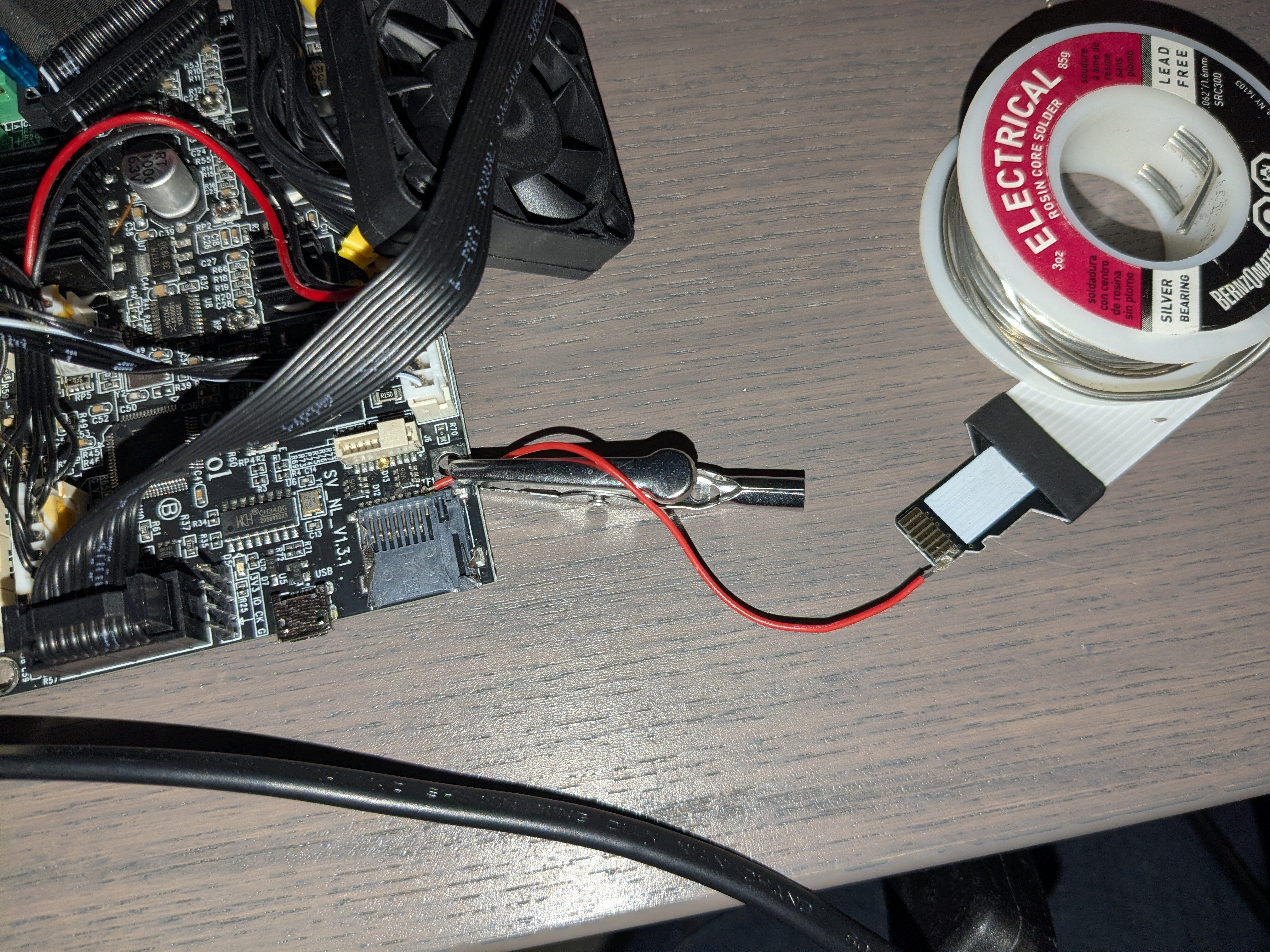
I'm terrible at soldering so this was a serious challenge for me. I did manage it in the end, though I had to scrape the cable quite a bit to avoid bridging the next pin. I was lucky that it was an end pin that broke; this would have been harder in the middle.
With this wire in place, I could hold the cable down onto the rest of the pins to get it to recognize the card. It took a while to get this working reliably. I eventually realized I had to sand down the solder on the cable end to make it as thin as possible, otherwise the cable wouldn't make good contact with the other pins. (I used lead-free solder so this was relatively safe.)
Once I got it working well, I secured it in place with a glue gun:
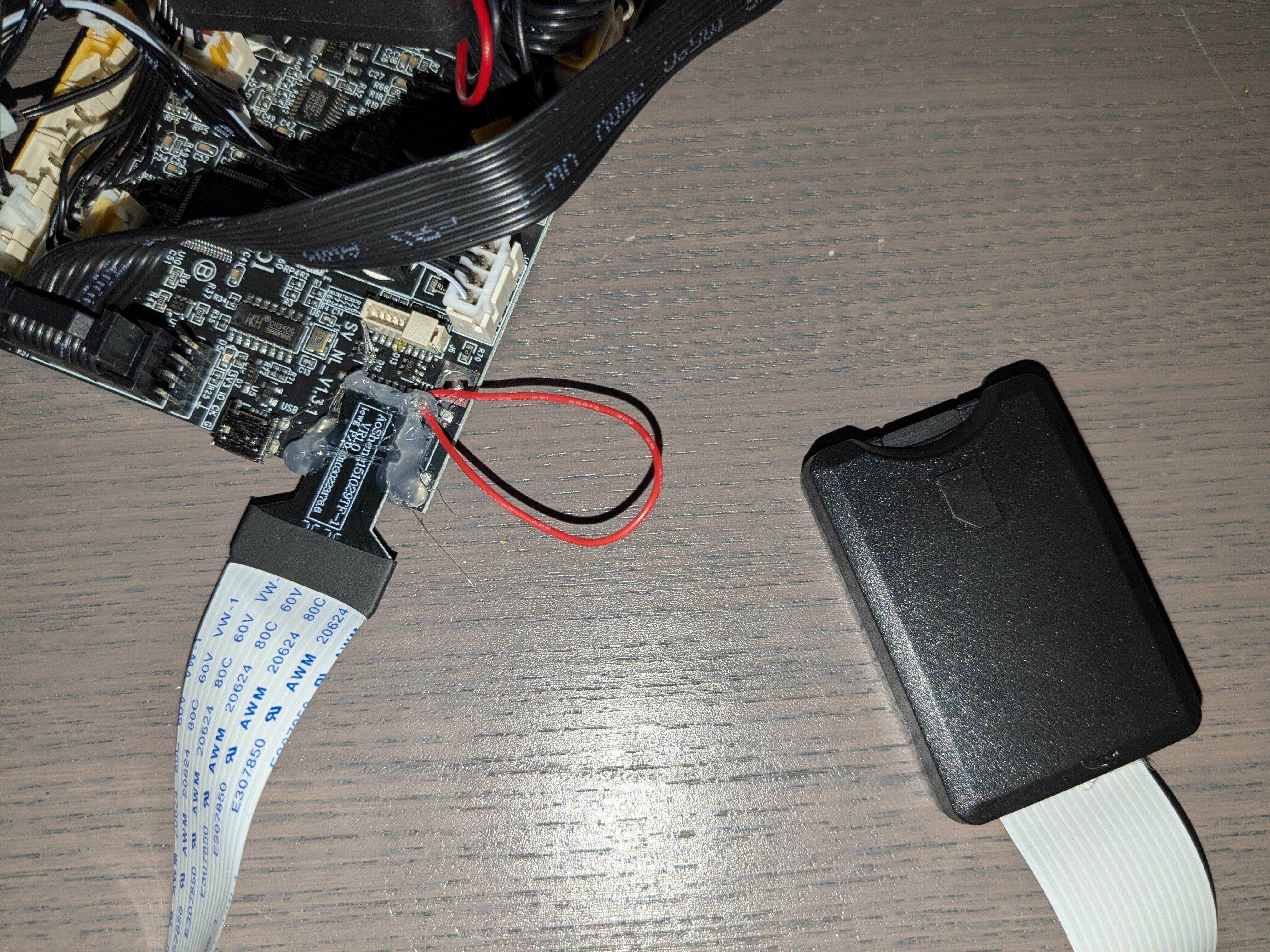
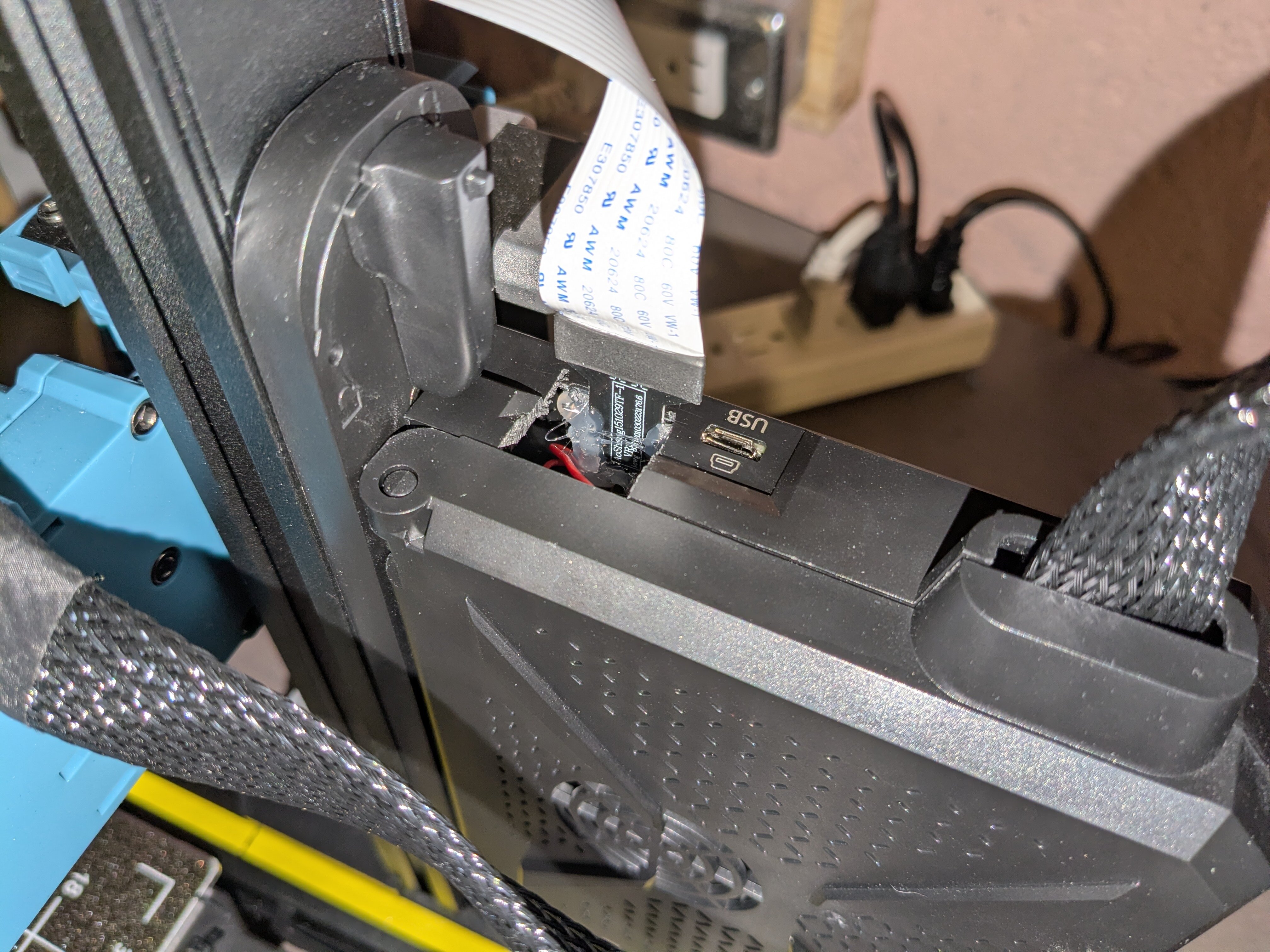
I had to use a hacksaw to cut away a portion of the control box to get it back in, but it works! The new opening is noticeable if you're looking for it but it doesn't really stand out. I don't know if I should close it for proper airflow; a piece of electrical tape would do the trick but I haven't even bothered.
One downside of using an SD card extension is that it doesn't detect when the card is removed. The only way to detect a card change is to reboot the machine. Card insertion is detected when a lever is pushed against a rail by the card; you can see it at the top left of the port in the above pictures.
Since I had the port apart, I had the opportunity to tear this lever out and solder on a physical switch so I could manually toggle the insertion of the card. I decided not to push my luck with it, but I avoided hitting it with the glue gun just in case I wanted to do it later.
I printed this SD card extension mount and rail guide afterwards to protect the cable. It's designed for the extension to be inserted through the front with a slot in the back to feed the ribbon through. Since my cable is quite permanent now, I just hastily chopped off the back of the mount in Blender:
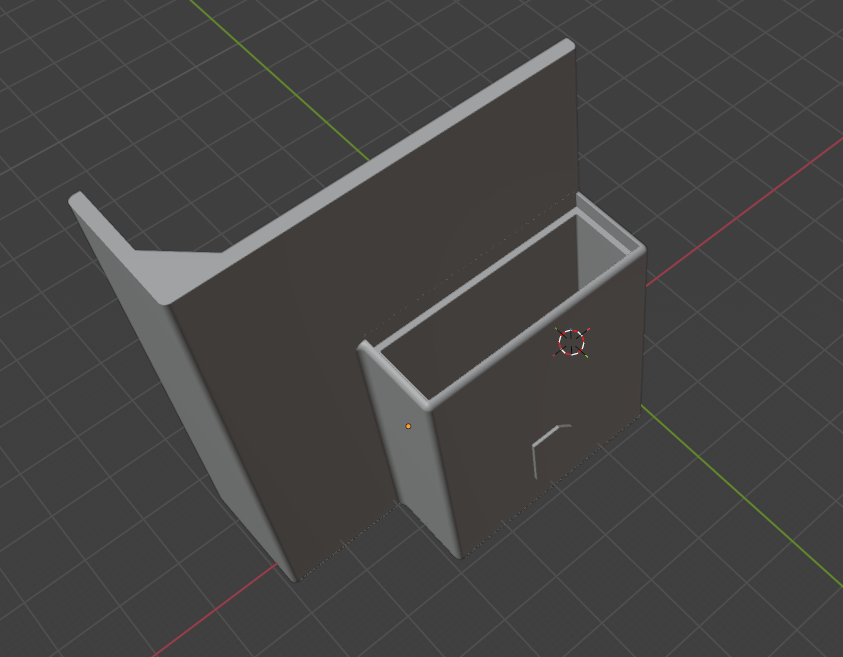
I could then insert the extension port through the back instead, and I secured it in place with more hot glue. It's janky inside, but the result looks perfect!
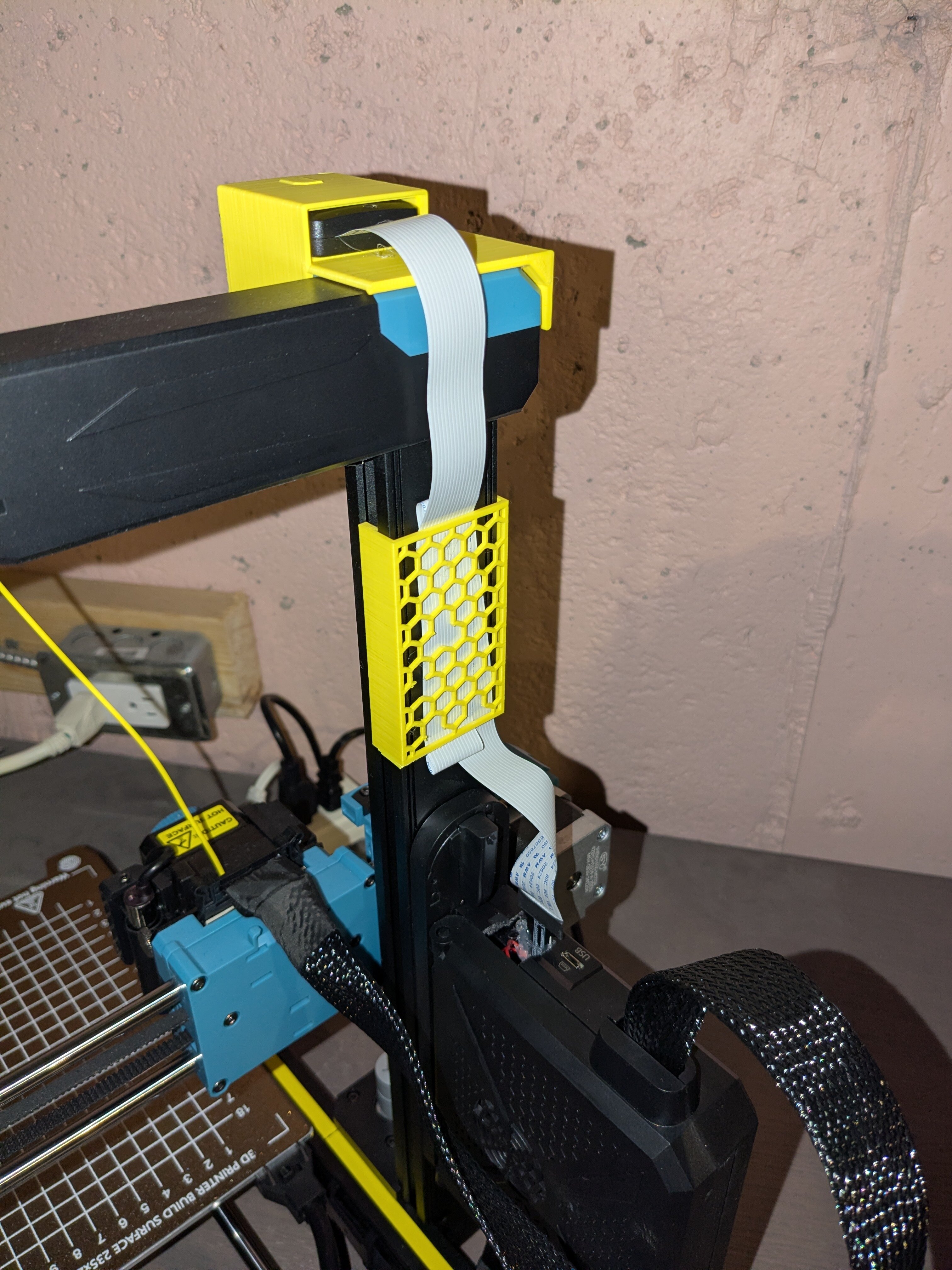
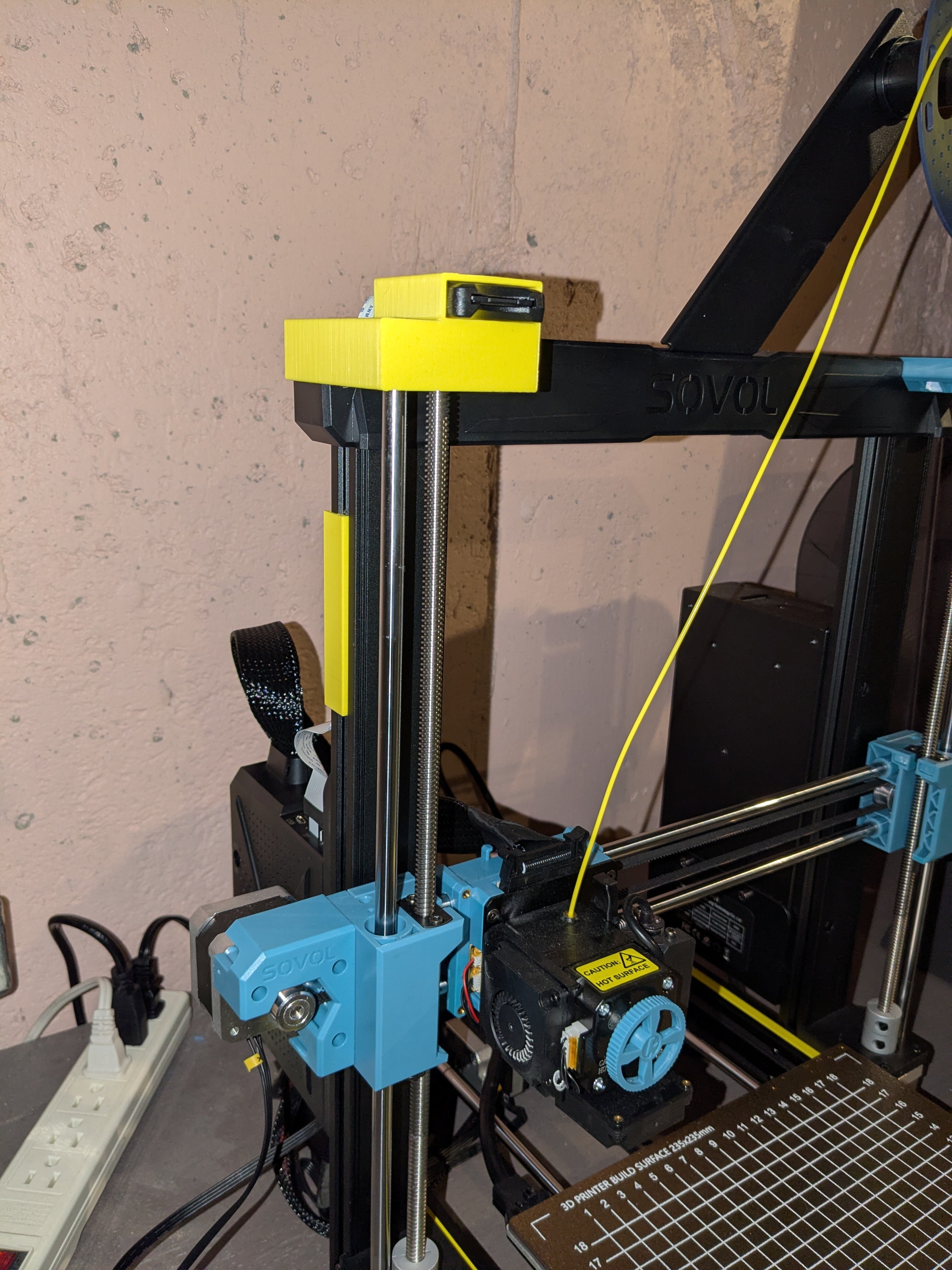
I'm not sure how permanent this fix is. Heat from the control board and print vibrations may eventually cause the glue to fail. I considered securing it with epoxy but I think if it fails I'd rather it be repairable again; a failure under an epoxy bond might be impossible to fix. (In theory the whole port could be replaced or a breakout cable could be soldered on but that is far beyond my skill level.)
In any case it worked perfectly for a couple more months before I upgraded the whole thing to Klipper. I don't need the port anymore (except to upgrade the firmware I suppose), but as far as I know it still works.
I only had a 3D printer for six weeks before this port broke. The two weeks until I had time to fix it were rough. I understand now why people own multiple printers. They break down all the time, and if you don't have a spare, you're not printing! I don't know how I ever survived without one. (I picked up a used Ender 3 as a second printer, and I also gave it a full-size SD card extension without breaking the port this time 🙃)
I love the SV06 platform for how moddable and repairable it is, not to mention dirt cheap. I've since done a ton more upgrades (and a bit more soldering!) to turn it into a 0.2mm nozzle high precision beast.
Rather than recommend my own set of upgrades, here are links to some great resources for upgrading your SV06: